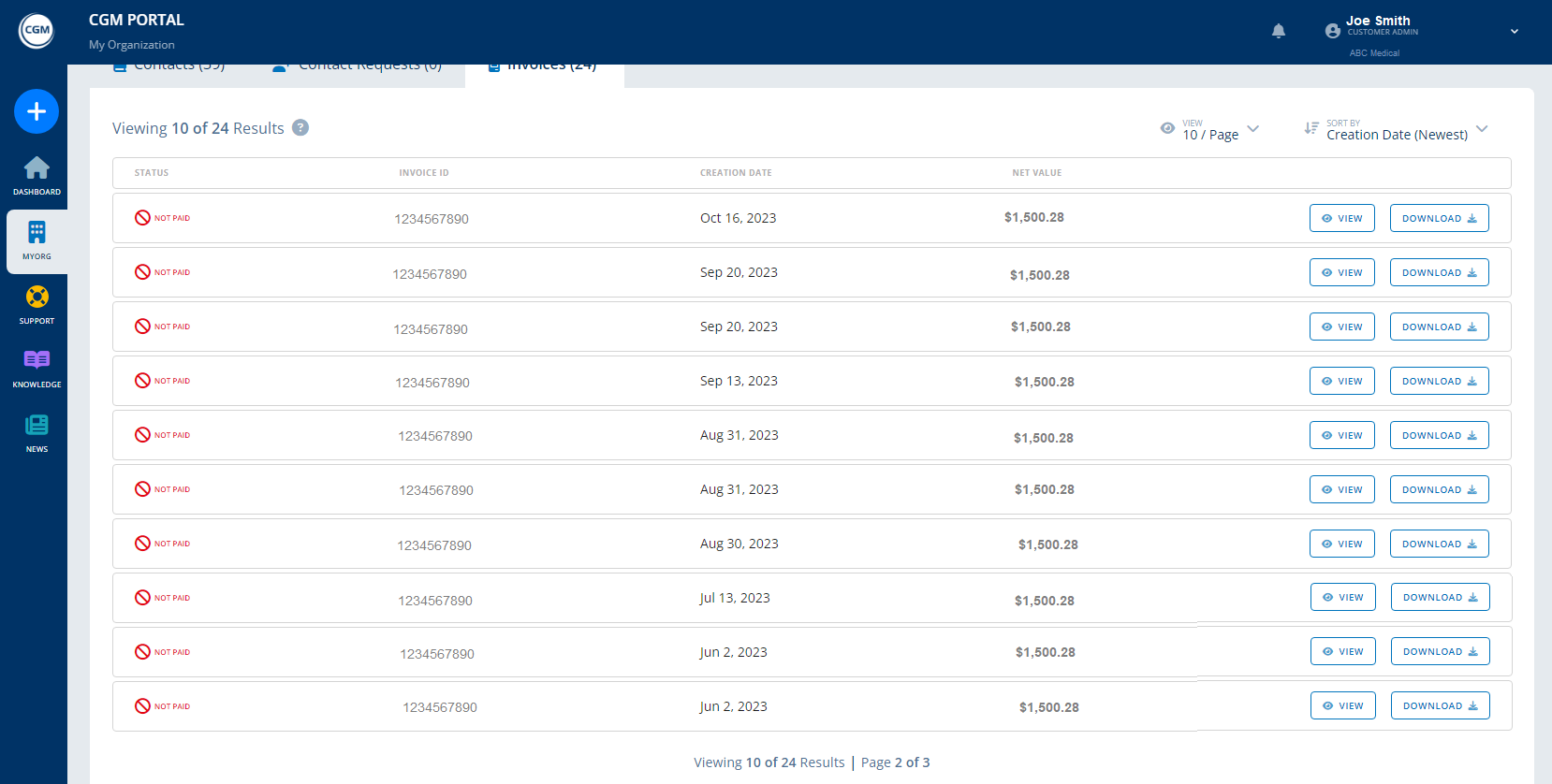
View invoices on the CGM Portal
Did you know your practice administrators can view and download your invoices on the CGM Portal? Here is how:
- Log in with your admin credentials. Note that non-admins cannot see invoices. Your admin user(s) are controlled by your practice, not CGM
- Click the MYORG button in the left menu
- Click the Invoices tab at the top
Here you can see PAID/NOT PAID status, invoice number, date, and amount. Buttons to the right can be used to view or download the invoice.
|
|